Passmark 20G Loopback Adaptor
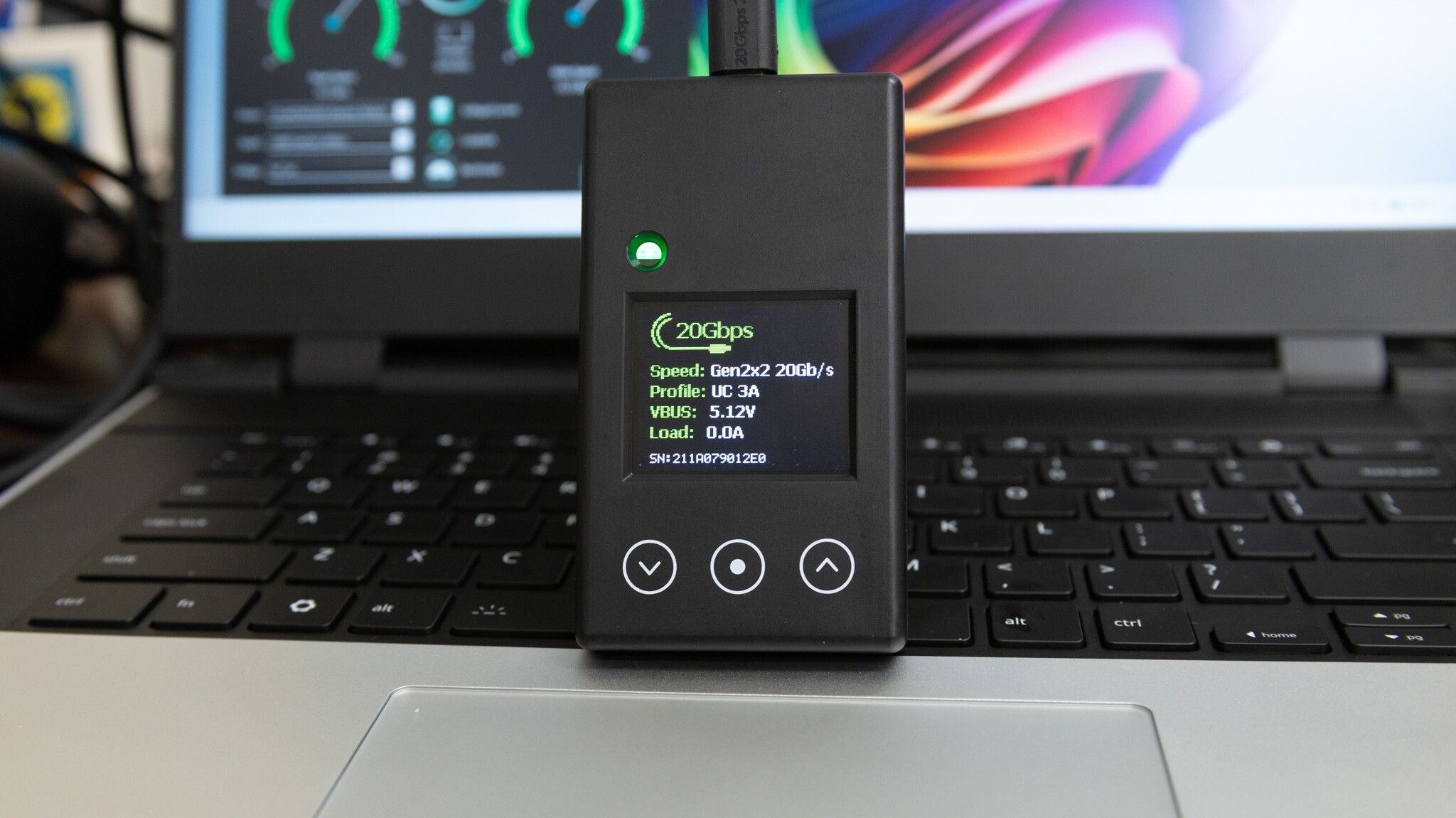
A loopback tester sends data out of a port and straight back in, so you can measure how fast that port really is. Passmark’s new 20-gigabit USB-C loopback tester checks both USB 2.0 and USB 3 data speeds, up to 20Gbps. It also adds some USB-PD power testing and limited Type-C cable detection.
It does that job well. Passmark also lists it for compliance testing, though, so I wanted to see what a pass actually tells you about your port or cable.
Disclaimer: Passmark sent this over free of charge for me to take a look at, but had no input at all. I talked with them and helped find a number of issues, some of which were fixed in their most recent V1.6 firmware!
Overview
The Passmark 20G supports 20Gbps USB 3 (Gen 2x2). It’s a less common USB mode that runs two 10Gbps lanes at the same time. That only works over USB-C, since USB-A ports only have one lane.
It’s very easy to set up. You just download the software, and it auto-connects to the device. I tested it on both Windows and Linux, and it works smoothly. They also have a CLI for both, which is nice for automated testing.
It’s important to note that this IS NOT USB4/Thunderbolt. Most laptops, even ones with 40Gbps ports, don’t actually support dual-lane USB 3. My Framework 13 is one of them. Its own ports only link at 10Gbps (Gen 2x1), and the tester runs at about 8.4Gbps read and 8.3Gbps write. That limit can also choke things like a USB 10Gb Ethernet adaptor.
To actually get 20Gbps, I needed a Thunderbolt 5 PCIe dock with a 20Gbps USB PCIe card in it. That got a real 20G link, with about 16Gbps read and 14Gbps write in Passmark’s app.
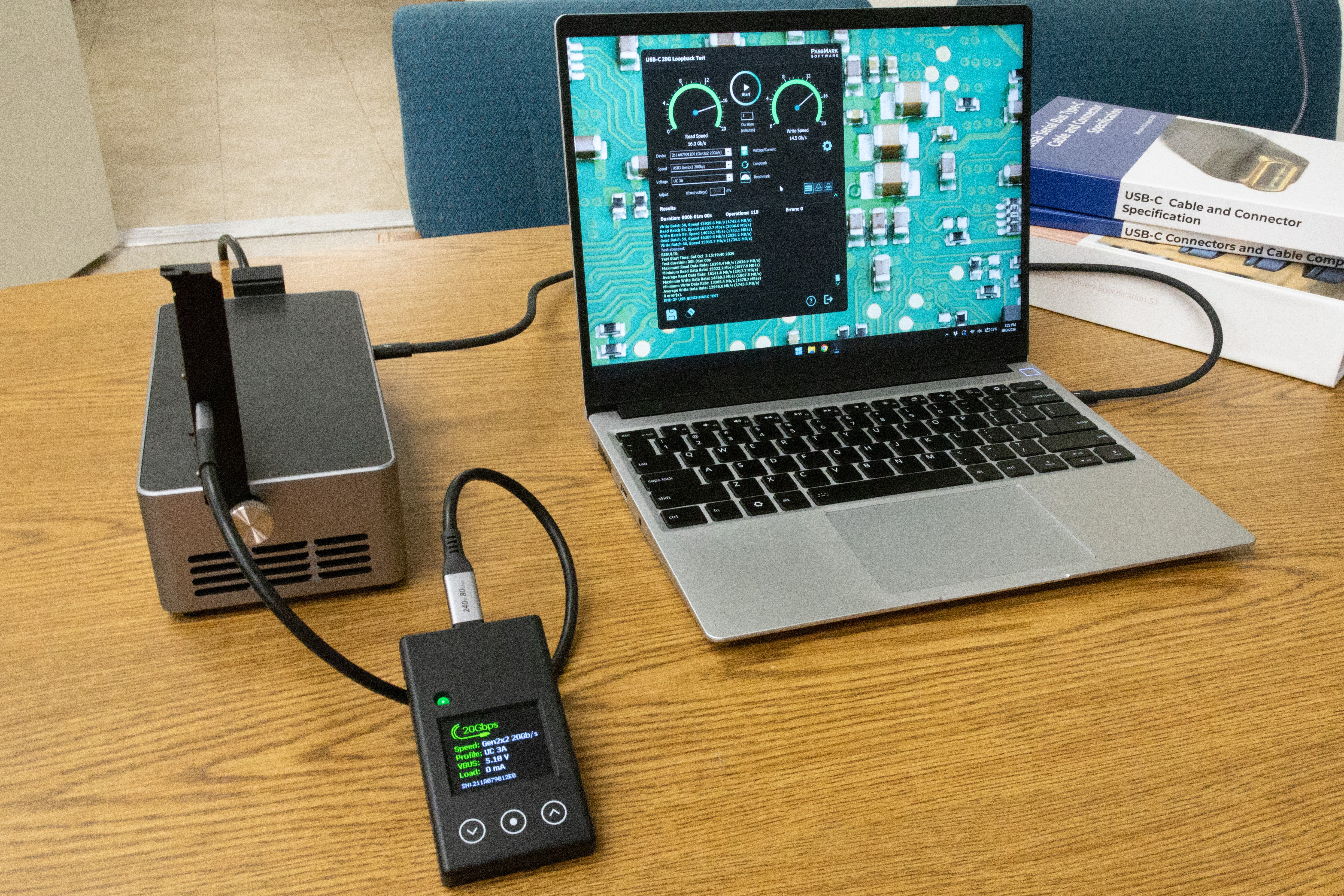
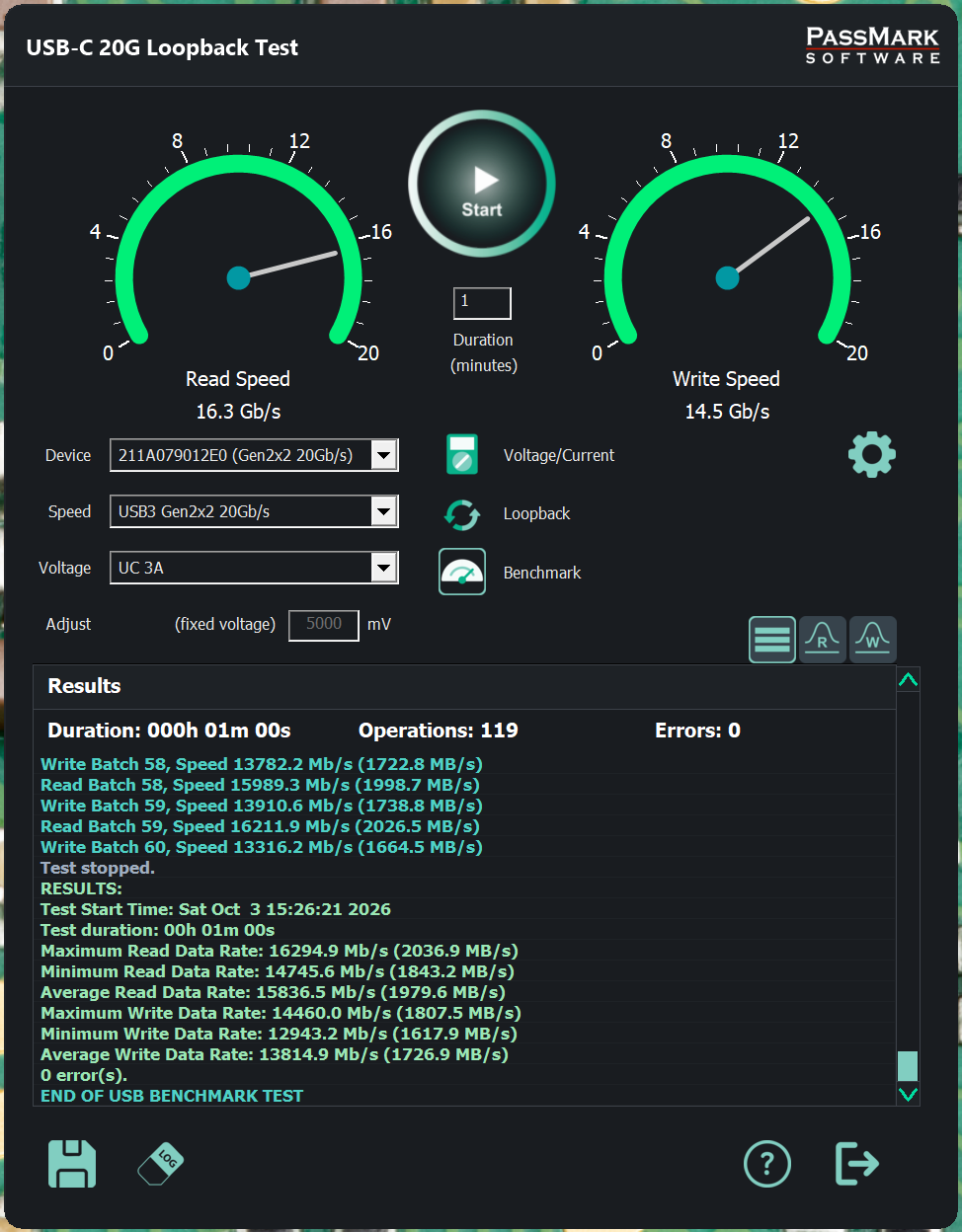
Test setup and results: Framework 13 (Ryzen AI 7 350, 32GB RAM) with a Thunderbolt 5 PCIe dock and an ASMedia ASM3242 USB PCIe card
Where does the bandwidth go?
You might notice that even on the dock, reads top out around 16Gbps (16.5Gbps with tuned settings in the CLI). Where does the other 3.5Gbps go?
| Step | Description | 2 lanes (20G) | 1 lane (10G) |
|---|---|---|---|
| Base | 10Gbps per lane. | 20.00Gbps | 10.00Gbps |
| 128b/132b encoding | Every 128 bits get 4 extra bits so the receiver can find where a byte starts. (plus data scrambling) | 19.39Gbps (-0.61Gbps) |
9.70Gbps (-0.30Gbps) |
| Skip Symbol/Timing Buffer | The two ends run on different clocks that drift apart. Every so often a small filler block is sent so they can re-sync. | 18.70Gbps (-0.69Gbps) |
9.35Gbps (-0.35Gbps) |
| Packet wrapping | Data travels in 1,024-byte packets. Each one gets a 36-byte address label and checksum. | 18.07Gbps (-0.63Gbps) |
9.03Gbps (-0.32Gbps) |
| ACK/Link Mgmt. | Every packet gets a small “got it” reply, and that reply gets its own tiny “got it”. | 17.80Gbps (-0.27Gbps) |
8.90Gbps (-0.13Gbps) |
| Idle Symbol Insertion | The clock fix-up block must start on a boundary, so a few blank slots are added before it. | 17.60Gbps (-0.20Gbps) |
8.80Gbps (-0.10Gbps) |
| Clock wobble | The clock is deliberately wobbled slightly slower to cut radio noise. | 17.56Gbps (-0.04Gbps) |
8.78Gbps (-0.02Gbps) |
| Software/firmware overhead | Idle after each 16-packet burst (ACK turnaround): ~0.5µs at 20G, ~0.7µs at 10G. 94% / 95% of the best possible speed. | 16.52Gbps (-1.04Gbps) |
8.38Gbps (-0.40Gbps) |
With only one lane, all the rates and overheads get cut in half.
My best runs got about 94-95% of what the protocol leaves (16.5 of 17.56Gbps on 20G, and 8.4 of 8.78Gbps on 10G).
That last 5% is caused by pauses between bursts. USB sends data in bursts of 16 packets, and after each burst the link sits idle for less than a millionth of a second before the next one starts. A burst itself only takes a few millionths of a second to send, so that pause, repeated after every burst, is enough to cost 5% of the speed.
If you see 15-16.5Gbps on 20G, or 8-8.4Gbps on 10G, you are getting peak performance from your USB port.
What’s in the box?
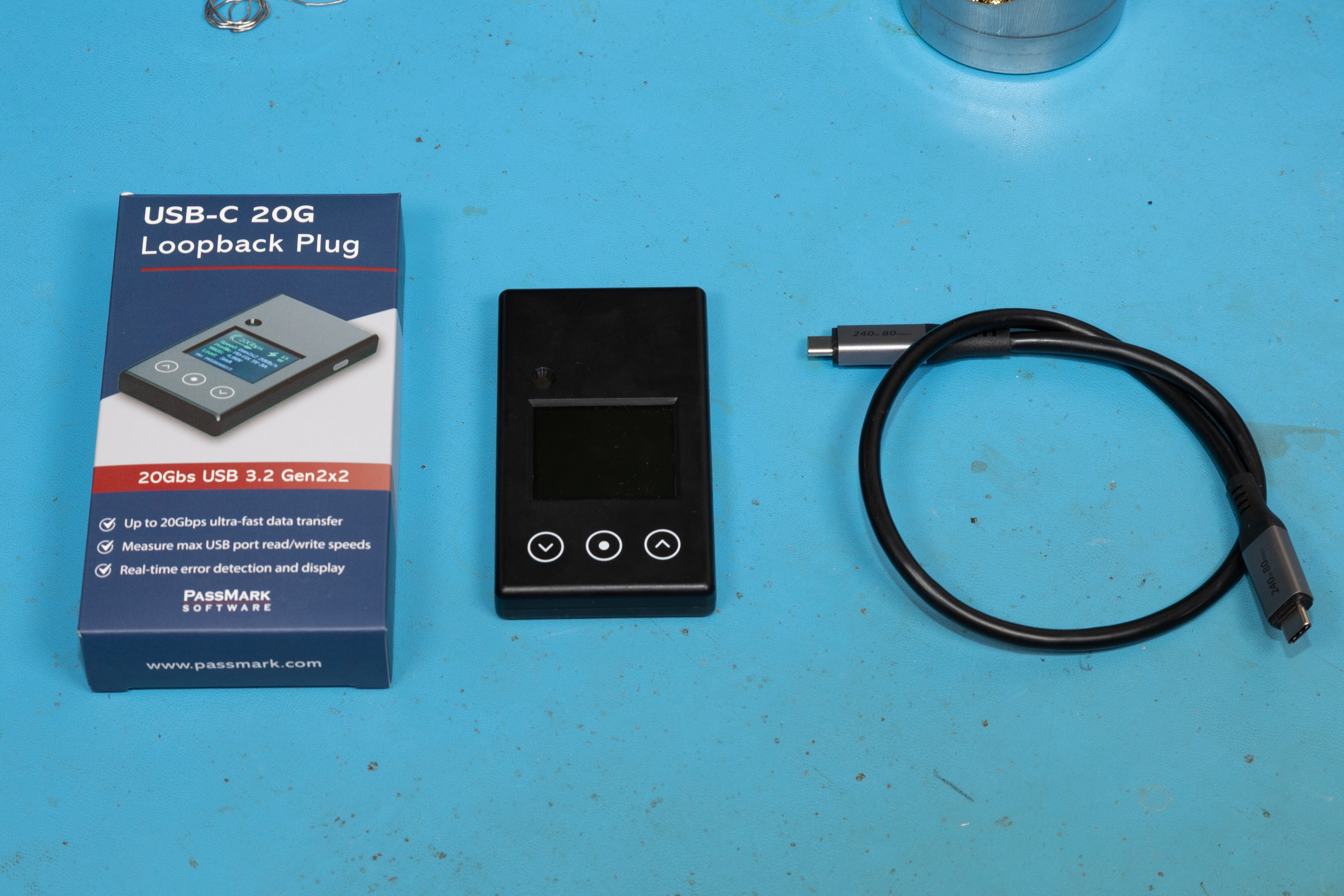
The box is nice. It’s well printed and well packaged. Inside is the tester and a short cable. The cable is rated for the fastest USB-C speeds available today, up to 80Gbps USB4/Thunderbolt, and 240W EPR (Extended Power Range).
Inside
It’s a really nice little assembly, and it goes together well. There’s a small heat sink block in the case that sits on the main chip. The buttons aren’t mechanical. They’re capacitive, so they feel great and there’s nothing to wear out. The external load connector is on the side.
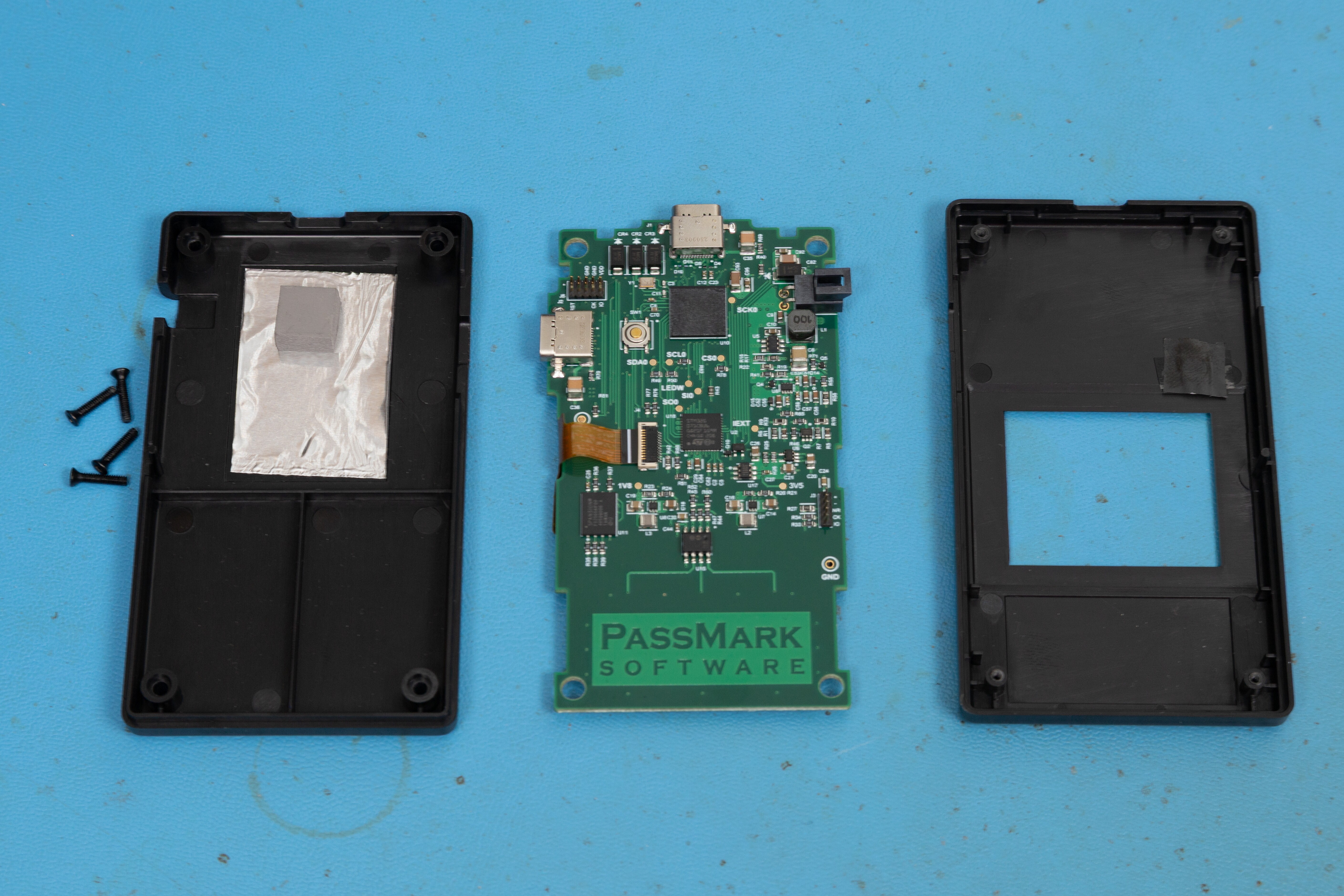
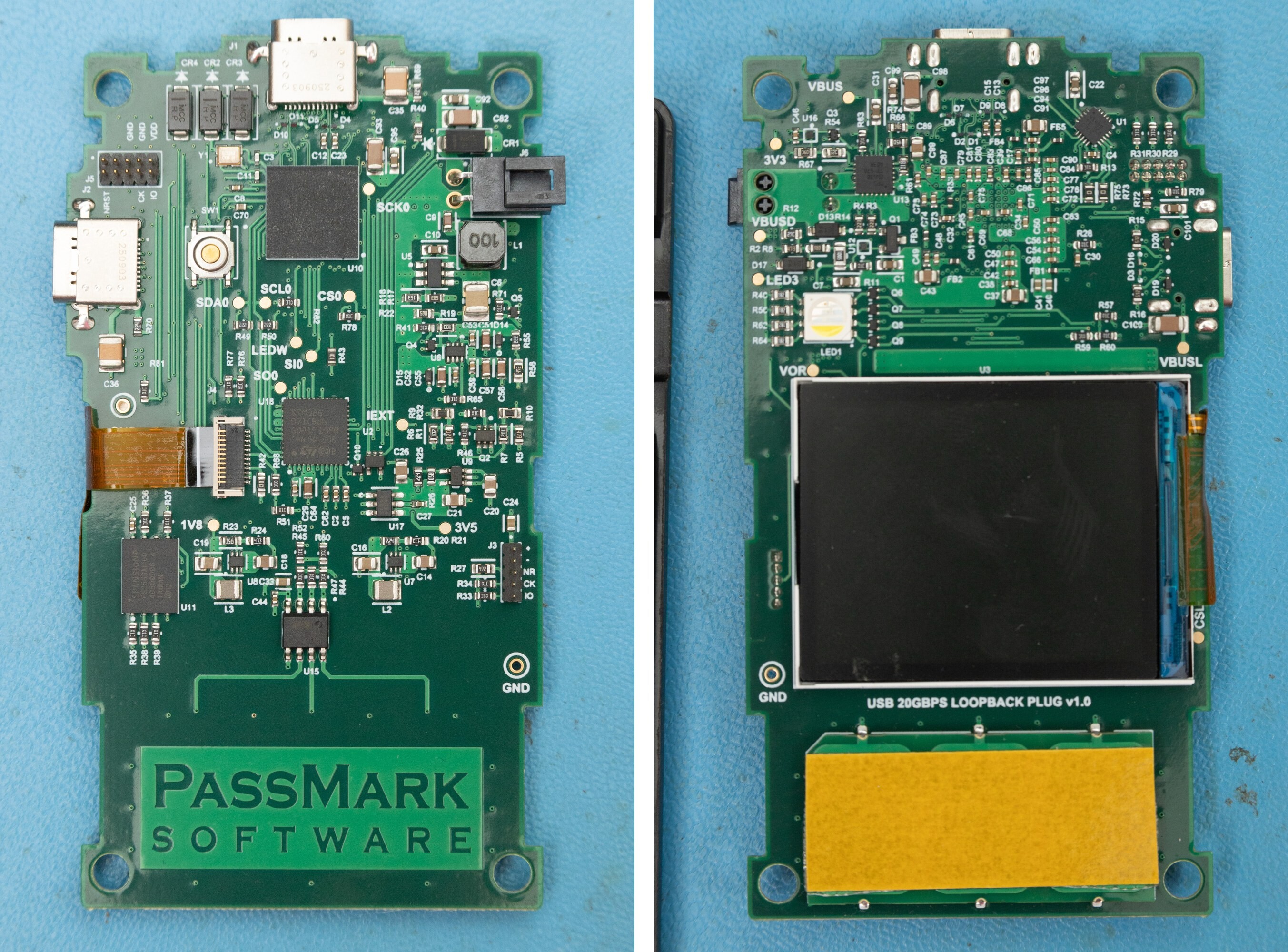
The big chip at the top is the Infineon FX20, the USB controller that does the actual 20Gbps loopback. Below it is an ST STM32G071 microcontroller, which has a USB-PD controller built in. It runs the screen, buttons and power side. A Spansion flash chip holds the firmware.
The cable
Here is the e-marker information for the included cable. Along with a quick check of the high-speed pairs, they meet the USB Spec.
| E-marker field | Value |
|---|---|
| Cable maker (VID) | CE Link Limited (0x2095) |
| Cable type | Passive, USB-C to USB-C |
| USB data speed | USB4 Gen 4, 80Gbps |
| Power rating | 240W (EPR) |
| Thunderbolt | 40Gbps (Thunderbolt 5 supported) |
| Latency | Under 10ns |
| USB-IF certification ID (XID) | None reported |
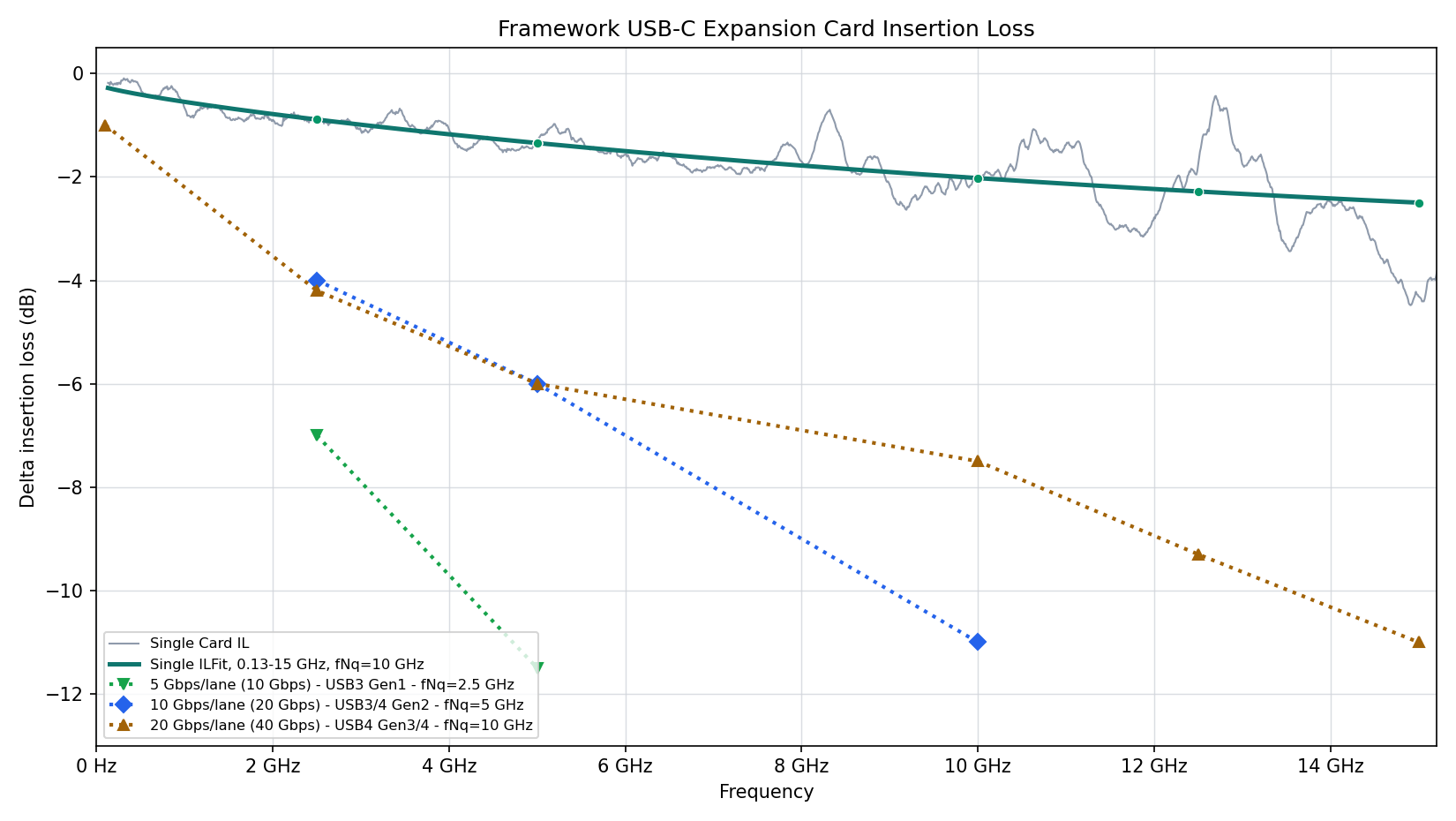
In these plots, the grey trace is the measured loss, and the green line is a fit to it. The dotted lines are the spec limits for each USB speed. If the green line stays above a speed’s limit, the cable passes for that speed.
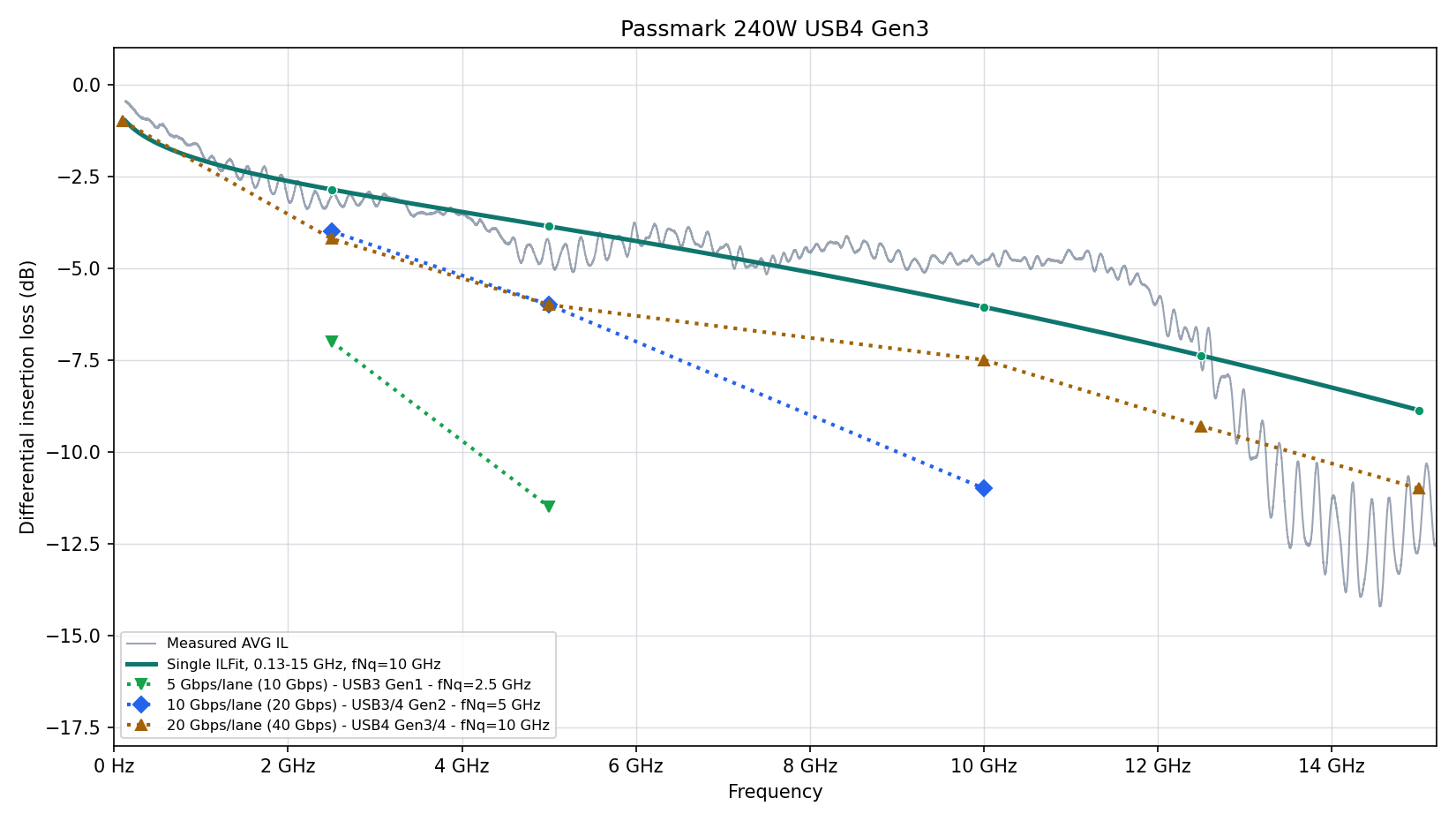
(Worried about that dip at the end? Don’t worry, we only grade pass/fail on the fitted line.)
The included cable won’t be the bottleneck.
USB-PD Testing
The Passmark 20G has a number of nice add-on features that can help test USB-PD power functions of Type-C ports. However, it lacks the heavy-duty sink (load) capabilities of Passmark’s more serious (and expensive) PD testing products, like the USB Power Delivery Tester PRO.
When you plug it into a USB-PD source, it shows all the power profiles the source supports. You can then pick one. This even includes EPR (Extended Power Range) profiles, which is nice.
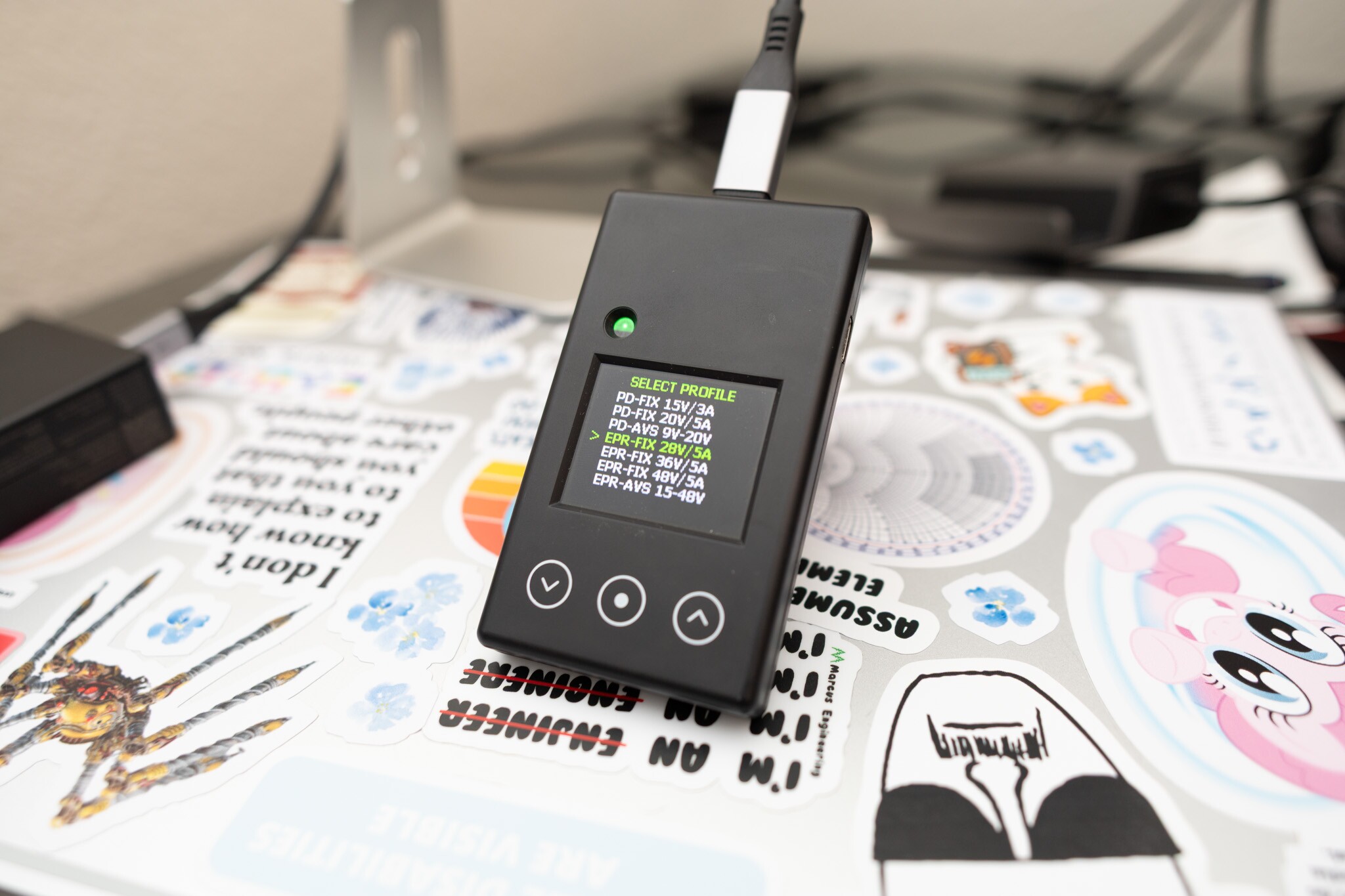
You can connect an external load to put a bigger load on the port’s power output. The Passmark 20G also has a separate Debug port. Right now it only powers the tester if the port voltage gets low, and it puts out a basic serial debug log. In normal use, the tester always draws its own power from the port under test, about 80-350mA. So you can’t put an exact load on a product, for example to check how accurate its current sensing is.
The external load is also limited to 1.2A. Passmark’s documentation first said it could go higher. After going back and forth with them, they confirmed the limit is 1.2A, and that got fixed in the updated firmware and manuals.
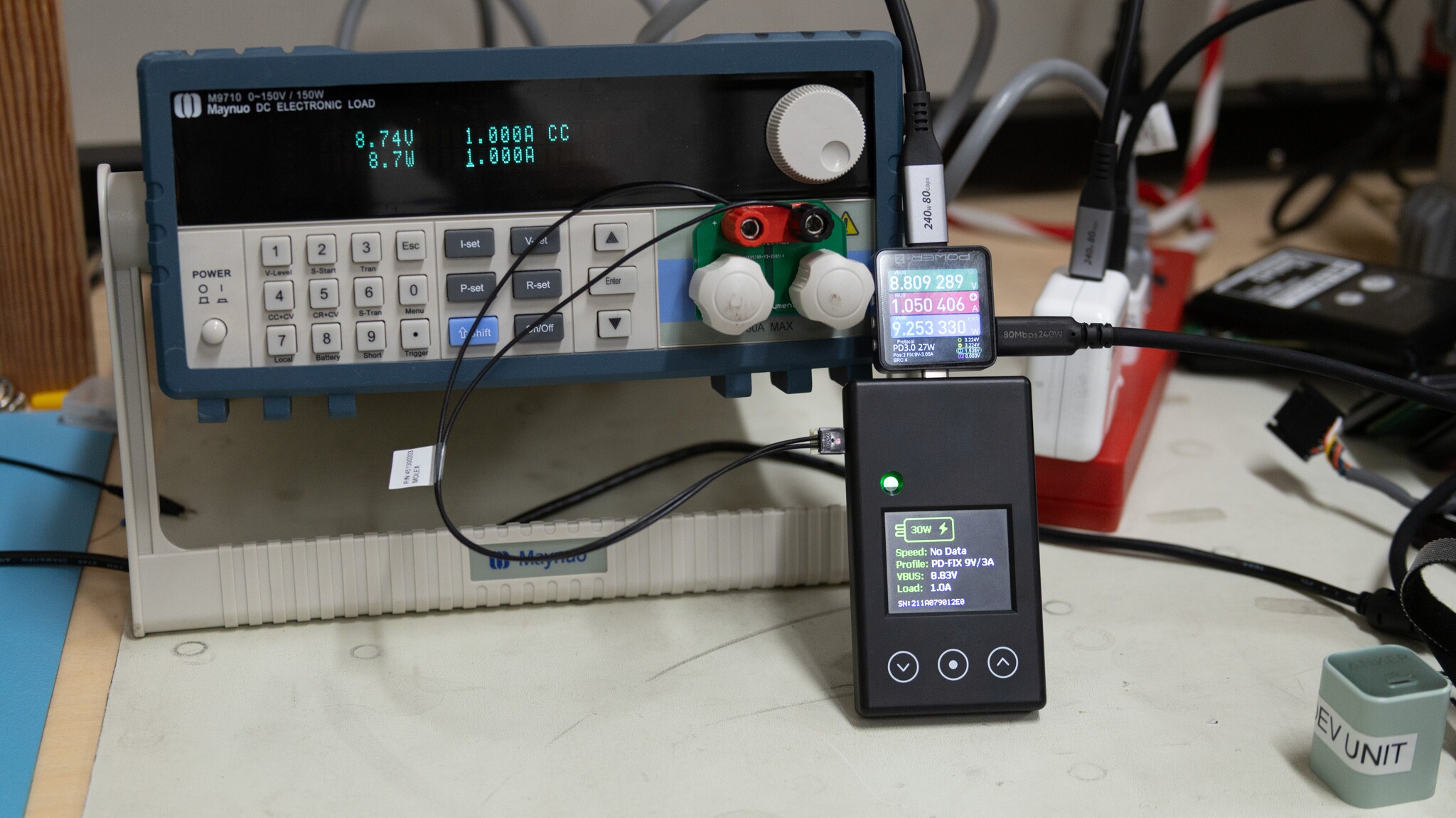
1.2A is enough to put some load on a product. But it’s well short of the 3A or 5A a serious PD supply can put out. So it’s not great for testing battery capacity or exact current limits and settings. It’s fine for general go/no-go checks, like whether a port works and can provide current.
Not a Cable Tester
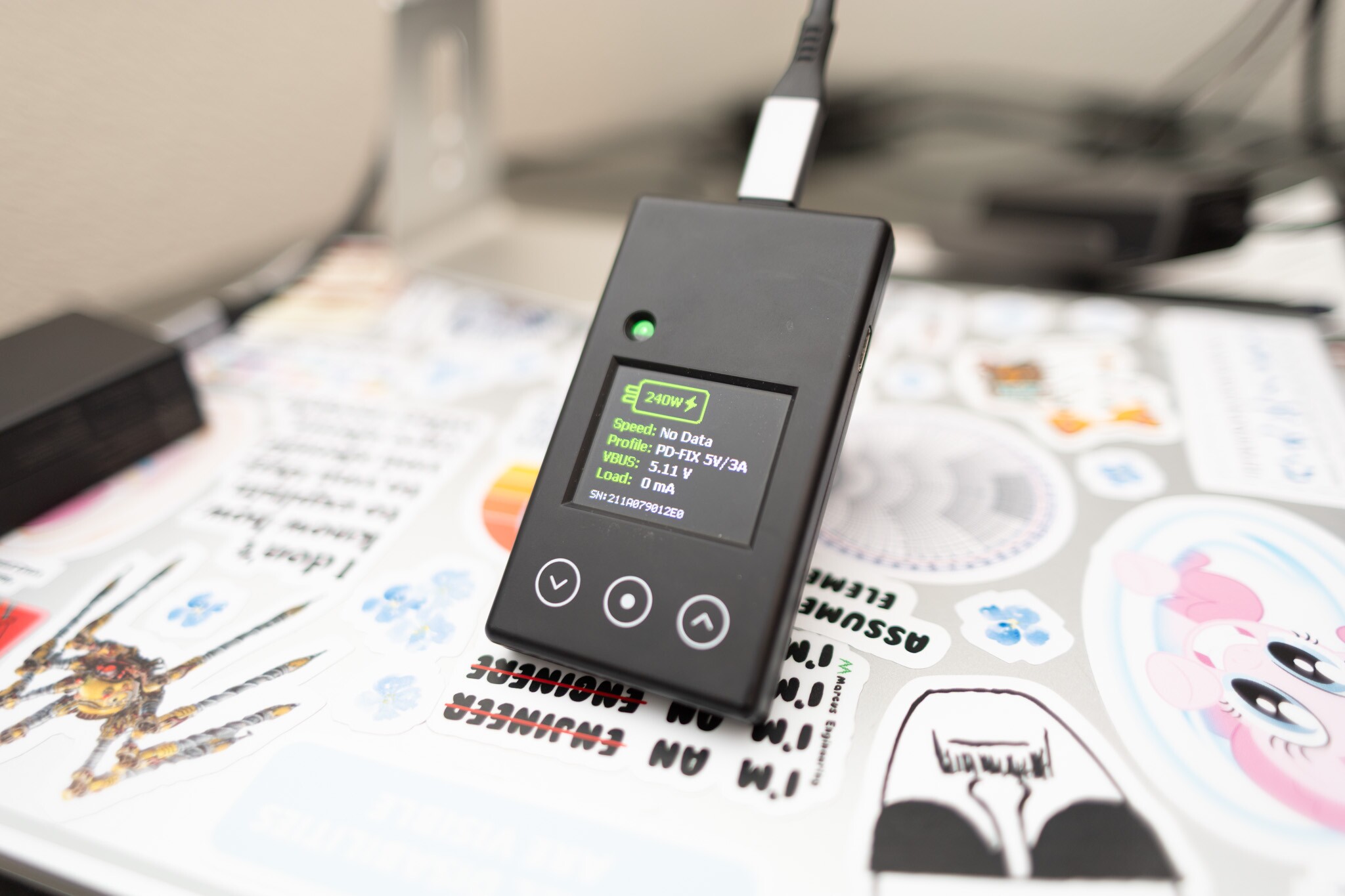
It reports information about cables connected to it, but it doesn’t query the cable itself. Instead, it “sniffs” the traffic from whatever it’s connected to. By the time it boots up and starts listening, many USB-C devices have already talked to the cable, so that information is missing.
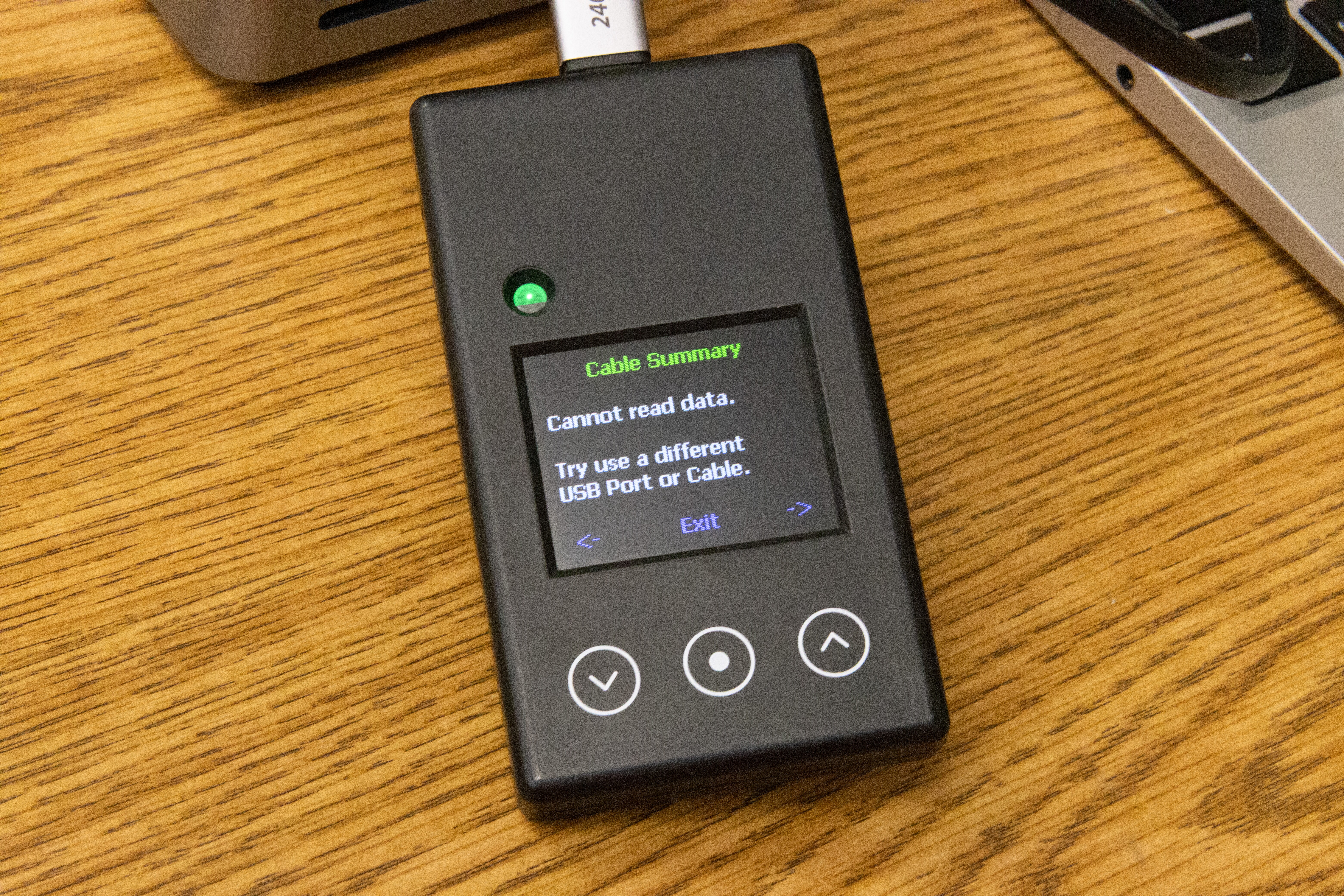
The Passmark 20G has an “Eye Score” function that reports if the signal that it’s getting is “Good”. In my testing, it reported “Good” or “Excellent” through a cable that’s way out of spec, the same green quality as the stock cable. It took a lot more loss than that before it complained at all (more below).
When a USB 3 link starts up, the two ends go through Link Training. One side sends a test signal, and the other side uses it to “cancel out” the cable loss. This is called equalization. The Passmark 20G’s core chip (the Infineon FX20) measures signal quality after that correction. So nearly every link that works shows maximum health. The only way it won’t show a pass is if the signal is so bad the link can’t come up at all.
Here I tested it with a USB cable that’s wildly out of spec, and it shows great USB Eye health.
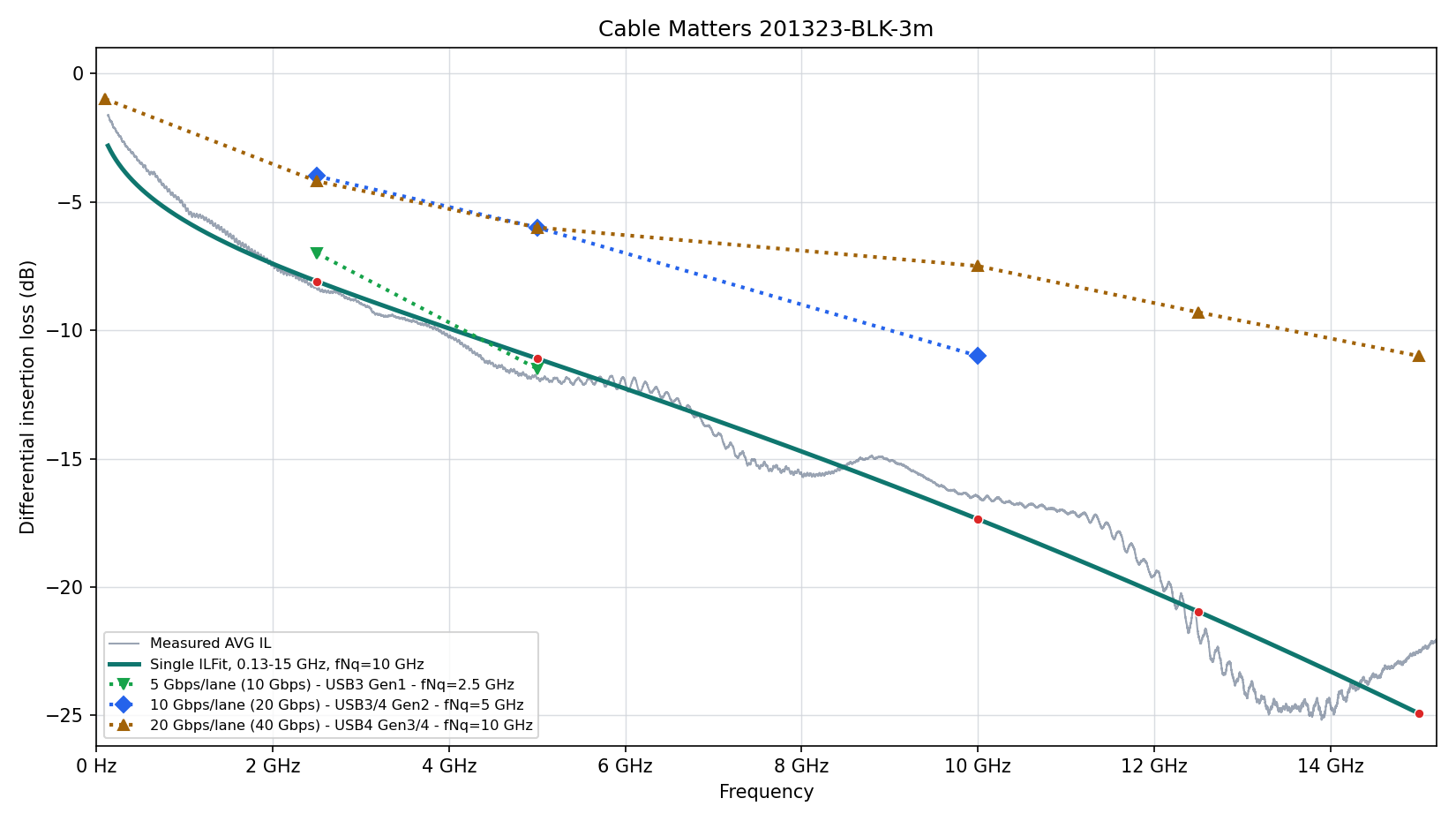
You can see this cable doesn’t even meet the signal-quality requirements for 5Gbps USB, let alone 10Gbps per lane (2 lanes for 20Gbps). At 5GHz, the spec sets a minimum signal level a cable has to deliver, and this cable delivers only about half of that minimum.
But the Passmark 20G reports great eye quality!
To be clear, Passmark doesn’t advertise the 20G for testing cable signal integrity. Some people might assume the cable info screen and Eye Score make it good for some kind of cable testing. It isn’t a cable tester. A cable way out of spec gets the same score as a good one.
Left: through the out-of-spec 3m Cable Matters cable. Right: the included short cable.
Even More Loss
One of my favorite ways to add loss to a USB link is with Framework USB-C cards. Each one adds about 20-25% of the loss the spec allows for a cable.
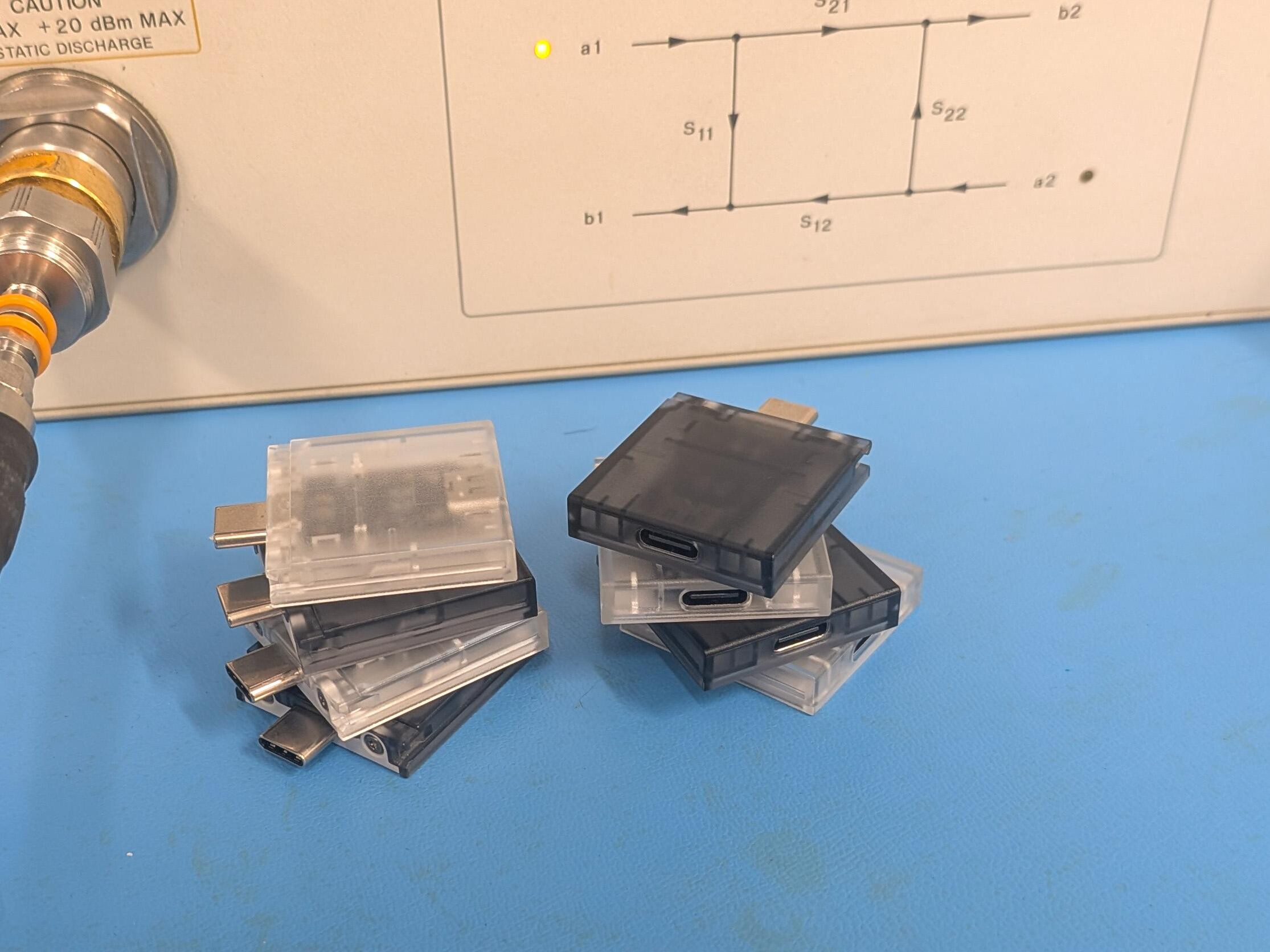
Here’s the stack on top of that cable, still linked at 20G, and the Eye Score it reported:
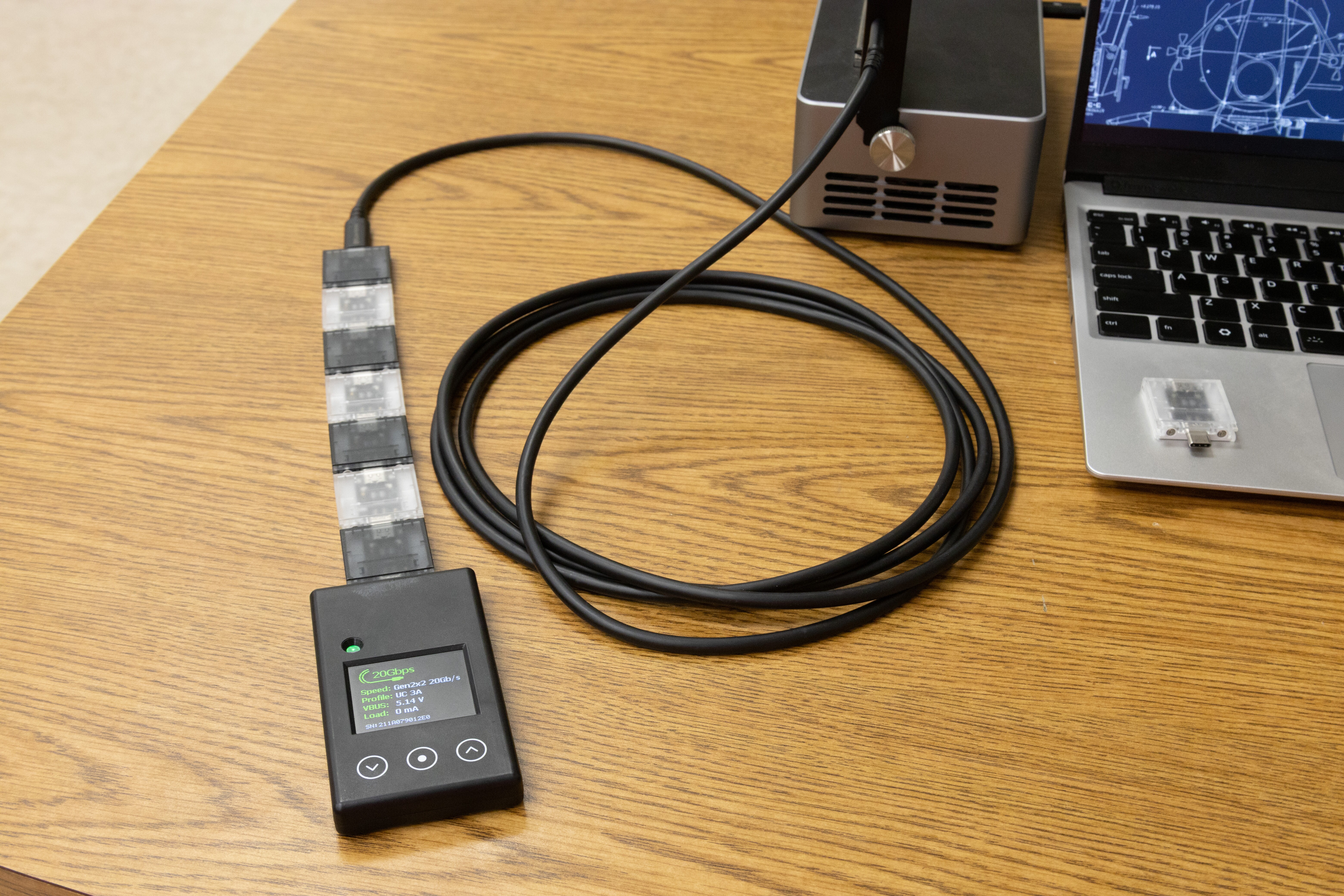
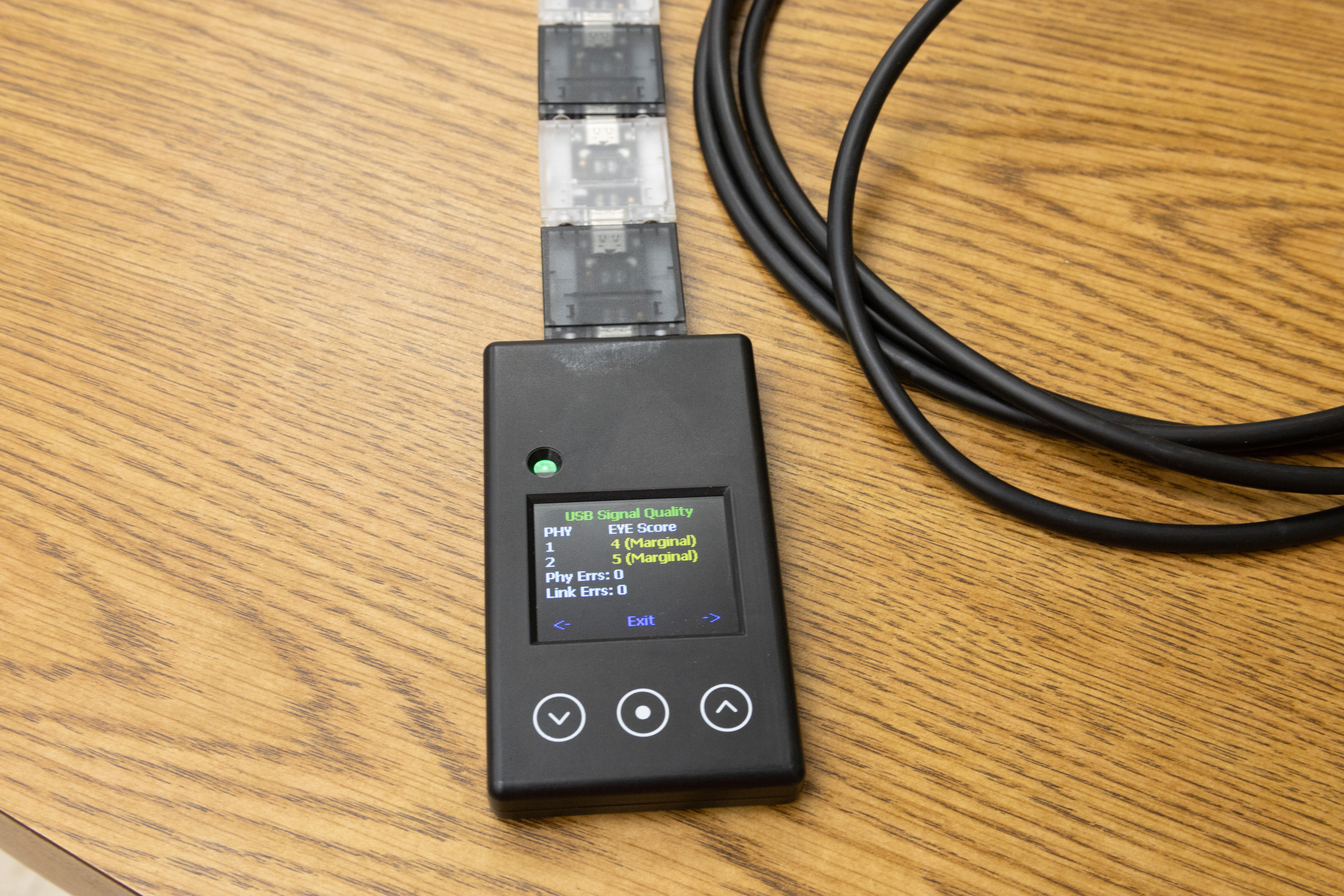
It took 7 cards on top of that cable before the Eye Score even dropped to “Marginal”. That leaves only about a fifth of the minimum signal, and the link still ran at 20G with 0 errors. It took an 8th card to break it.
Because of this, the Passmark 20G can’t tell you if your link meets spec or is barely working. It works really hard to get the best link possible. That’s great for reliability, but bad for testing.
Ports are the same. It confirms that this port links at 20G with this tester and this cable. That doesn’t guarantee it will work with every device. The spec lets devices have a lot more loss inside them than the 20G tester has, up to around 4 Framework cards’ worth. “It works for me” doesn’t mean “it works with everything, for everybody.”
The FX20 chip inside does have an “Eye Scan” mode that would help here. Run at a fixed equipment setting, ideally with the transmitter in compliance (CTS) mode, it gives an actual measurement instead of just “Good”. That would help people judge links much closer to the edge. It still wouldn’t be a compliance test like one done with a VNA. A VNA test also covers crosstalk from the other pairs, the reverse channels, power, and everything else in the cable. Eye Scan isn’t on the Passmark 20G yet; hopefully it comes in a future update!
Really repeatable speed measurements
With the right settings, the CLI gives extremely consistent results. On my Framework 16 (a different laptop; the FW13 has no internal hub to compare against), three 30-second runs read between 8.3813 and 8.3819Gbps. That’s a standard deviation of about 0.004% (40 parts per million).
That makes it great for deep troubleshooting of links and systems. You can tease out small hardware and software effects that most tools would lose in the noise.
Here’s an example. The Framework 16 has some ports that go through a hub chip inside the laptop, and some that go straight to the processor. I swapped the tester between the two, twice, with 6 runs on each.
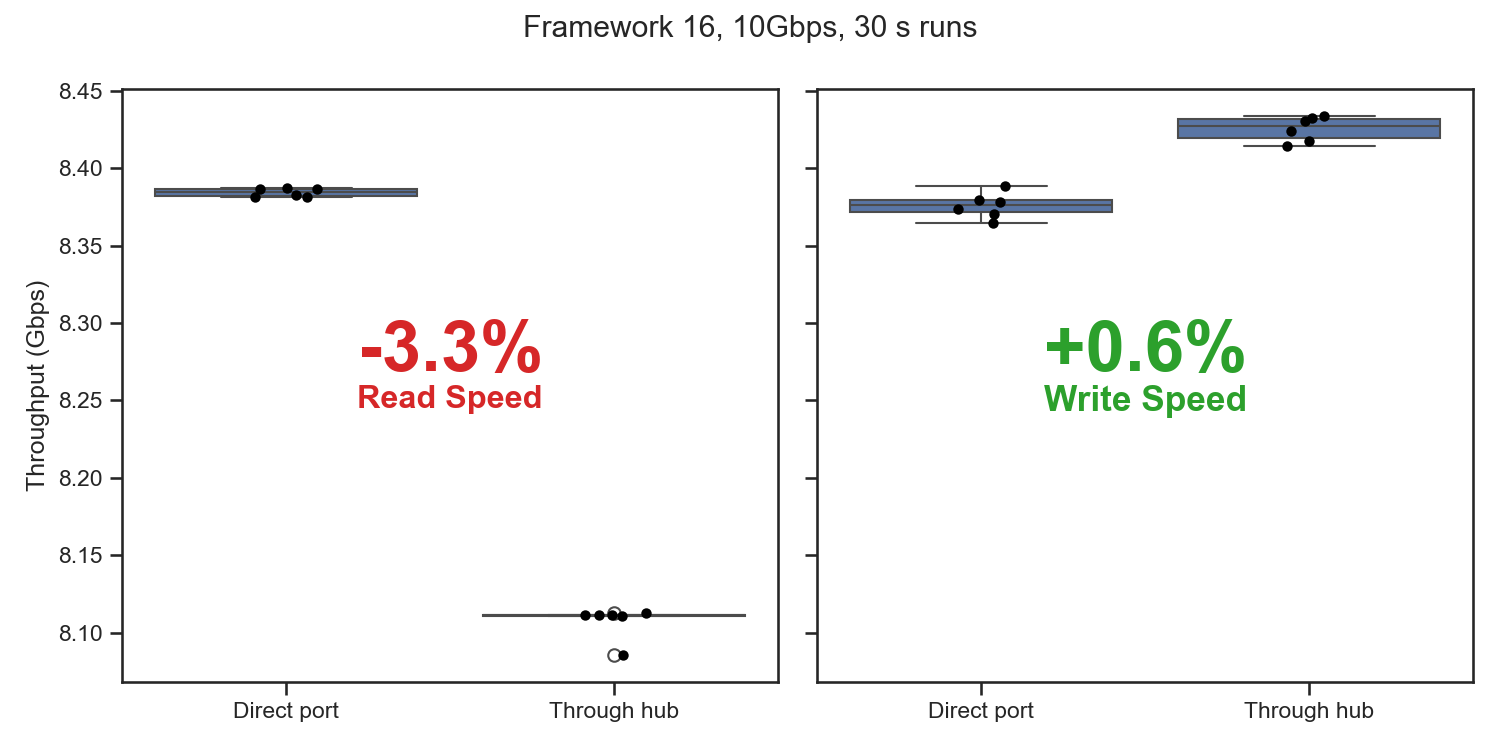
Reads through the hub were 3.3% slower (8.107 vs 8.384Gbps). Writes were actually 0.6% faster (8.425 vs 8.376Gbps).
Why? On a read, the tester can only send a burst of 16 packets after the laptop asks for it. A USB 3 hub has to receive and check each of those requests in full before passing it on, and it adds a small delay to the data coming back too. Together that’s about half a millionth of a second per burst, or about 3%.
Writes don’t wait for the tester like that, so the hub doesn’t slow them down. They were actually a bit faster, because the USB controller behind the hub port is more tightly coupled to the processor.
I wanted to try a 20Gbps hub too, but there aren’t any. No hub chips support USB Gen 2x2. The market skipped it and went straight to Thunderbolt. Gen 2x2 is really a quick hack on top of USB 3, and Thunderbolt has much better availability and protocol compatibility.
Who is it for?
Passmark lists it for the following use cases:
Manufacturing & QA: High-volume testing of USB ports in production environments to ensure consistent quality.
Compliance testing: Verify adherence to USB specifications, including speed, power delivery, and compatibility.
IT Diagnostics & Repair: Quickly assess port health and performance during maintenance or repair work.
I’m an electrical engineer, and I design and test USB-C equipment all the time, so here are my thoughts on each.
Manufacturing & QA. For general manufacturing testing, it’s likely a good option. It will catch build errors like missing connections, and it can even apply a load for go/no-go tests of USB-PD power supplies and devices. Sometimes we need stricter power or signal tests. That’s rare, and for those we use more specialized equipment.
Compliance testing. This one caught my eye. I spend a lot of my time on problems where devices don’t work together because one of them doesn’t meet the spec. Functional testing, sure, but compliance has a specific meaning.
Nobody can test their product with every other USB device, cable and charger out there. Compliance is how we avoid having to. We all agree on the limits in the USB spec, and each product is measured against those limits with specialized calibrated equipment and defined test procedures. If every product meets the spec, they all work together. That’s what USB-IF certification checks.
A functional test only shows that a device works with this other device. Mixing the two up is how USB products end up as a frustrating mess. A product “passes” because it worked with the gear on the bench, then ships and fails with other devices, cables and chargers.
The Passmark 20G is a functional tester, and it doesn’t do any compliance testing.
IT Diagnostics & Repair. I’m not an IT repair person, but I can see it being useful for quickly checking what a port can do. That helps with problems like slow USB speeds. Does the port really support 10/20Gbps, or only 5? It can also check if a port really supports PPS/AVS, which modern fast-charging phones need.
Closing
So what does the Passmark tell you? That the port works at that speed and under that load, which is what production lines and repair benches need. What it can’t tell you is whether anything meets spec.
The Passmark USB-C 20G Loopback Plug costs $485 (as of publication).
Thanks again to everyone at Passmark for being so responsive and great to work with! I’m excited to see Passmark making lower-cost, easy-to-use USB test equipment like this, and I hope to see more!